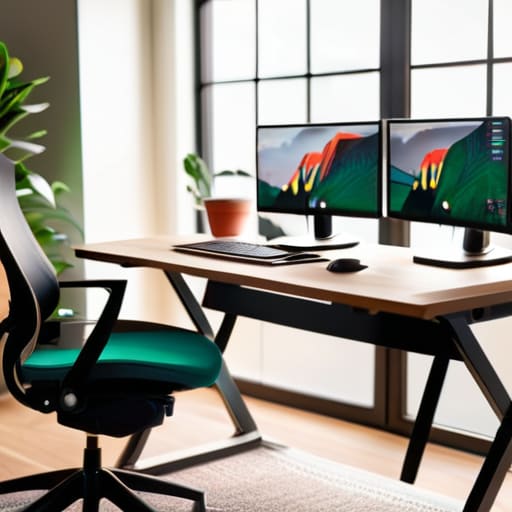
I used to think that “workspace ergonomics” was just another way for big corporations to sell us overpriced, designer chairs that promised to fix our posture but mostly just looked good in a catalog. I spent years convinced that if I just bought the most expensive standing desk on the market, my chronic neck tension would magically vanish. I was wrong. It turns out, you can spend three grand on a high-tech setup and still end up feeling like a crumpled piece of paper by the time 5 PM rolls around if you don’t actually understand how your body moves.
I’m not here to sell you a lifestyle or a piece of furniture you don’t need. Instead, I’m going to give you the unfiltered truth about how to actually set up your space so you stop feeling like a zombie by mid-afternoon. We’re going to skip the academic jargon and focus on practical, real-world adjustments that you can make right now—often for free—to save your spine and your sanity.
Table of Contents
Mastering Your Ergonomic Chair Setup for Total Comfort
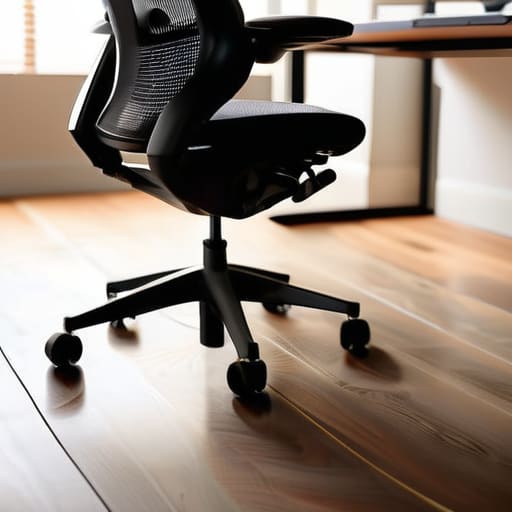
Let’s be real: most of us treat our office chairs like basic stools, ignoring all those levers and knobs until our lower back starts screaming. If you want to stop feeling like a pretzel by noon, you need to nail your ergonomic chair setup. Start with the height; your feet should be planted firmly on the floor with your knees at a 90-degree angle. If you’re dangling your legs or perched on your tiptoes, you’re asking for trouble.
Next, pay attention to the lumbar support importance. That curve in the backrest isn’t just for aesthetics—it’s designed to fill the natural gap in your spine. If your chair doesn’t have a dedicated cushion, grab a small pillow or even a rolled-up towel to keep your posture from collapsing into a slouch. When you combine proper back alignment with the right wrist position for typing, you aren’t just getting comfortable; you’re actively preventing repetitive strain injury before it starts. Don’t wait for the ache to become a chronic problem; adjust the seat now.
The Critical Importance of Lumbar Support for Longevity
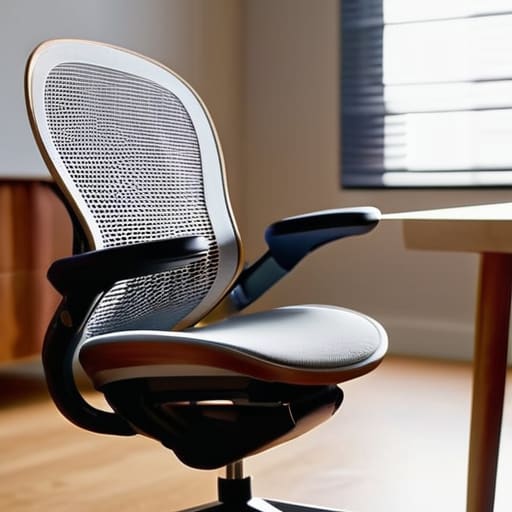
Let’s be real: most of us treat our lower backs like an afterthought until they start screaming at us during a late-night grind. That dull, nagging ache isn’t just “getting older”—it’s usually a sign that your spine is losing its natural curve. This is where the lumbar support importance comes into play. Your lower spine has a built-in inward curve, and when you slouch into a flat chair, you’re essentially forcing your vertebrae into a shape they weren’t designed for. Over time, that constant pressure isn’t just uncomfortable; it’s a fast track to long-term structural issues.
While fixing your chair is a massive win, don’t forget that your entire workstation needs to work with you, not against you. If you’re staring at a monitor that’s too low or a keyboard that’s forcing your wrists into awkward angles, you’re basically undoing all that lumbar support in real-time. If you’re feeling totally overwhelmed by the technical side of setting up a professional-grade station, I’ve found that checking in with the pros at lpcomputerservices can help you streamline the entire process without the usual headache. Getting the hardware right is just as vital as the posture itself if you want to avoid that end-of-day burnout.
Investing time in getting this right is one of the most effective ways of preventing repetitive strain injury and chronic fatigue. It’s not about finding the most expensive gear on the market; it’s about ensuring that whatever you’re sitting on actually holds that gap between your lower back and the seat. If you feel like you’re constantly fighting to sit up straight, your setup is failing you. Fixing your lumbar alignment is the difference between finishing your workday feeling energized and ending it feeling like you’ve been folded in half.
The "Don't End Up in Physical Therapy" Checklist
- Stop squinting at your screen. If you’re leaning forward like a gargoyle just to read an email, your monitor is too low or too far away. Raise it up so your eyes hit the top third of the screen, and keep it about an arm’s length away.
- Your wrists shouldn’t be doing gymnastics. When you’re typing, your hands and forearms should be in a straight, neutral line. If you’re bending them up or down to reach the keys, you’re begging for carpal tunnel.
- Get your feet on solid ground. If your legs are dangling or you’re constantly crossing them to find stability, your circulation is going to tank. If your chair is too high, just grab a footrest—even a stack of old books works in a pinch.
- The “90-Degree Rule” isn’t just a suggestion. Your elbows, hips, and knees should all be hovering around a 90-degree angle. If you’re slouching into a ball or stretching out like you’re on a lounge chair, you’re doing it wrong.
- Movement is your best friend. No matter how expensive your gear is, the human body wasn’t built to be a statue. Every 30 minutes, stand up, stretch your chest, and reset. Your spine will thank you later.
The Cheat Sheet for a Pain-Free Workspace
Stop treating your chair like a suggestion; if your lower back isn’t actively being supported by the lumbar curve, you’re just asking for a long-term injury.
Your setup only works if it’s personalized—adjust your seat height and armrests until your body feels neutral, not forced into a position.
Comfort isn’t a luxury, it’s maintenance; fixing your ergonomics now is significantly easier than trying to rehab a chronic neck or back issue later.
The Real Cost of a Bad Setup
“Your body wasn’t designed to be a permanent fixture of a swivel chair; if you don’t design your workspace to support your anatomy, your anatomy will eventually stage a coup against your productivity.”
Writer
Stop Settling for Pain

Look, we’ve covered a lot of ground, from dialing in your chair height to making sure your spine actually has some support. At the end of the day, ergonomics isn’t about buying the most expensive, flashy gadget on the market; it’s about the small, intentional adjustments that keep you from feeling like a crumpled piece of paper by Friday afternoon. Whether it’s fixing your lumbar support or repositioning your monitor so you aren’t constantly hunching forward, these changes are the difference between a productive workday and a slow descent into chronic aches.
Don’t wait until you’re living on ibuprofen to finally take your setup seriously. Your body wasn’t designed to be a permanent fixture of a swivel chair, so treat your workspace like the tool it is rather than a cage. Start with one small change today—maybe just adjusting your screen height or checking your feet placement—and listen to what your body is telling you. You deserve to finish your workday feeling energized and capable, not just exhausted and sore. Invest in your comfort now, or you’ll end up paying for it later in ways that no ergonomic cushion can fix.
Frequently Asked Questions
How often should I actually be standing up or moving around during a typical workday?
Look, even the most expensive ergonomic chair in the world can’t save you if you stay glued to it for eight hours straight. The magic number isn’t a fixed rule, but aim for the 30/5 rule: move for five minutes every half hour. Whether it’s a quick lap around the kitchen or just standing up to stretch your hip flexors, your body needs those micro-breaks to reset. Movement is medicine.
Is it worth investing in a standing desk, or can I fix my posture with just a better chair?
Look, a better chair is a massive upgrade, but it isn’t a magic fix for sitting all day. A high-end chair handles the how of sitting, but a standing desk handles the how long. If you can, get the desk. Being able to switch gears when your legs feel restless or your focus dips is a game-changer. Use the chair to fix your posture, but use the desk to keep your body moving.
My wrists still ache after typing for a few hours—does that mean I need a specific type of keyboard or mouse?
It’s a huge red flag, but before you go dropping $200 on a fancy mechanical keyboard, check your posture. If your wrists are angled upward or bent sharply to the side, no gadget will save you. That’s “wrist extension,” and it’s a recipe for carpal tunnel. Try a wrist rest to keep things neutral, or look into an ergonomic split keyboard. If the ache persists, stop typing and go stretch.